Welcome to our official time duration calculator. Whether you need to figure out how many hours you worked on a shift, or you simply need to calculate time between two times for a personal project, handling the math manually can lead to frustrating errors. Our tool instantly determines the exact elapsed duration, saving you from complex mental math.
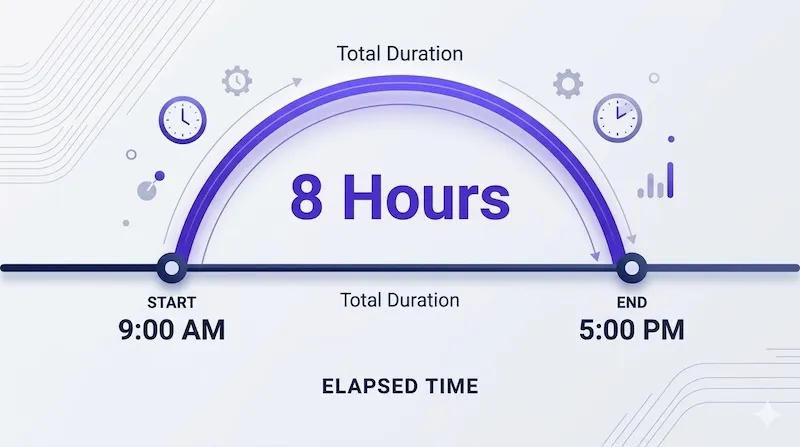
How to calculate time duration between two times
If you don't have our calculator handy, performing the math yourself requires converting standard AM/PM clock readings into a 24-hour military time format. This prevents negative numbers when subtracting the afternoon from the morning. If you need help with this conversion, use our Military Time Converter.
Step-by-step elapsed time formula
- Convert to 24-hour format: For example, 2:00 PM becomes 14:00.
- Subtract Start from End: Subtract the starting minutes from the ending minutes, and the starting hours from the ending hours.
- Adjust for minute borrowing: If your minute result is negative, borrow 60 minutes from the hour column.
| Step | Action Performed | Result |
|---|---|---|
| 1. Format | Convert 5:00 PM to 24-hour time | 17:00 |
| 2. Subtract | 17:00 minus 09:15 (Requires borrowing an hour) | 16:60 - 09:15 |
| 3. Final Math | 16 - 9 hours, and 60 - 15 minutes | 7 Hours 45 Mins |
How to handle overnight time duration calculations
The most common pain point when trying to calculate elapsed time is dealing with graveyard or overnight shifts. When your End Time occurs the next day, standard subtraction breaks down because the end number is technically smaller than the start number.
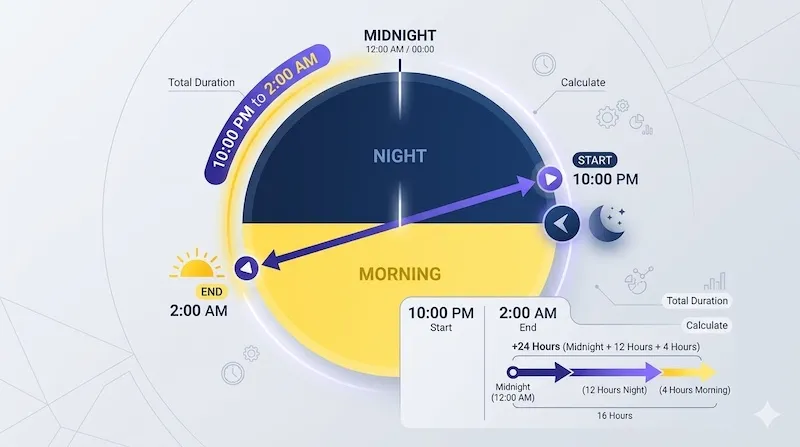
To solve this manually, if your end time is "smaller" than your start time, simply add 24 hours to the end time before doing the math. For example, a shift from 10:00 PM (22:00) to 2:00 AM (02:00) becomes: (02:00 + 24:00) - 22:00 = 4 hours of duration.
Understanding the decimal hours format
Notice that our calculator outputs two results: standard hours/minutes, and "decimal hours." Why is this important? Because payroll systems cannot multiply standard minutes (base-60) by a monetary hourly wage (base-10).
Before calculating your gross pay, your elapsed time must be converted. You can learn more on our dedicated Decimal Time Calculator page, or use the quick reference chart below:
| Standard Minutes | Mathematical Formula | Decimal Equivalent |
|---|---|---|
| 15 Minutes | 15 ÷ 60 | .25 Hours |
| 30 Minutes | 30 ÷ 60 | .50 Hours |
| 45 Minutes | 45 ÷ 60 | .75 Hours |